Rules

An ordered list. The first hit decides.

The rule file is only asked when global policy is Config. Proxy and Direct skip the whole file. The tester on the home page matches domains against a sample list; it is not the file the device is using.

  1. 01When it runs
  2. 02Three parts on a line
  3. 03Match order
  4. 04Domain conditions
  5. 05Address and geo database
  6. 06DIRECT · PROXY · REJECT
  7. 07Where the hostname comes from
  8. 08Walking three requests
  9. 09Several configurations and imported lists

01

The engine is gated by policy, not by the file

A complete rule file still sends every outbound to the current record if policy sits on Proxy, and down the system path if it sits on Direct. The file does not “turn itself on.” Only after you switch policy back to Config does the currently selected configuration start matching line by line. What the three policies mean is in Tunnel.

You can keep several configurations. Only the selected one is used while connected. Server records are a different object: changing the highlighted row does not change the file, and changing the file does not change the highlighted row. What a configuration lists, and which exit is highlighted, are independent. See Objects and Config.

So “rules are not working” is two different claims. One: the engine was never asked (policy is not Config, or the selected file is not the one you thought). Two: the engine was asked, but the first hit is not the line you thought. Isolate the first before you edit the second.

The home-page tester is not the file on the device

The domain tester on the product page uses a hard-coded sample list. It only demonstrates “top to bottom, first hit wins.” GEOIP cannot be simulated in the browser. Treating the tester as your phone’s routing will give the wrong conclusion.

02

Three parts on a line

The usual line is: condition type, argument, action. Comma-separated. Type and argument decide “who this line covers”; action decides “what happens when it covers.” A line starting with # is a comment; the engine skips it and it does not take part in matching.

# comments are not matched
DOMAIN,api.example.com,PROXY
DOMAIN-SUFFIX,example.com,DIRECT
IP-CIDR,10.0.0.0/8,DIRECT
GEOIP,CN,DIRECT
FINAL,PROXY

Only three actions actually change outbound: DIRECT (system path), PROXY (the currently highlighted record), REJECT (blocked, not sent). Some files write a policy-group name, which points the action at another choice logic; this page only discusses these three direct actions. Wrong type, a missing comma, or pasting a whole URI into a rule line usually means the line will not work as you expect, and the request falls further down.

The same file can mix domain conditions and address conditions. For each connection the engine walks the list once; it does not “hit a domain once, then hit an IP, then take the union.” The first hit already supplied the action; later lines are ignored.

03

Put the narrower condition above the broader one

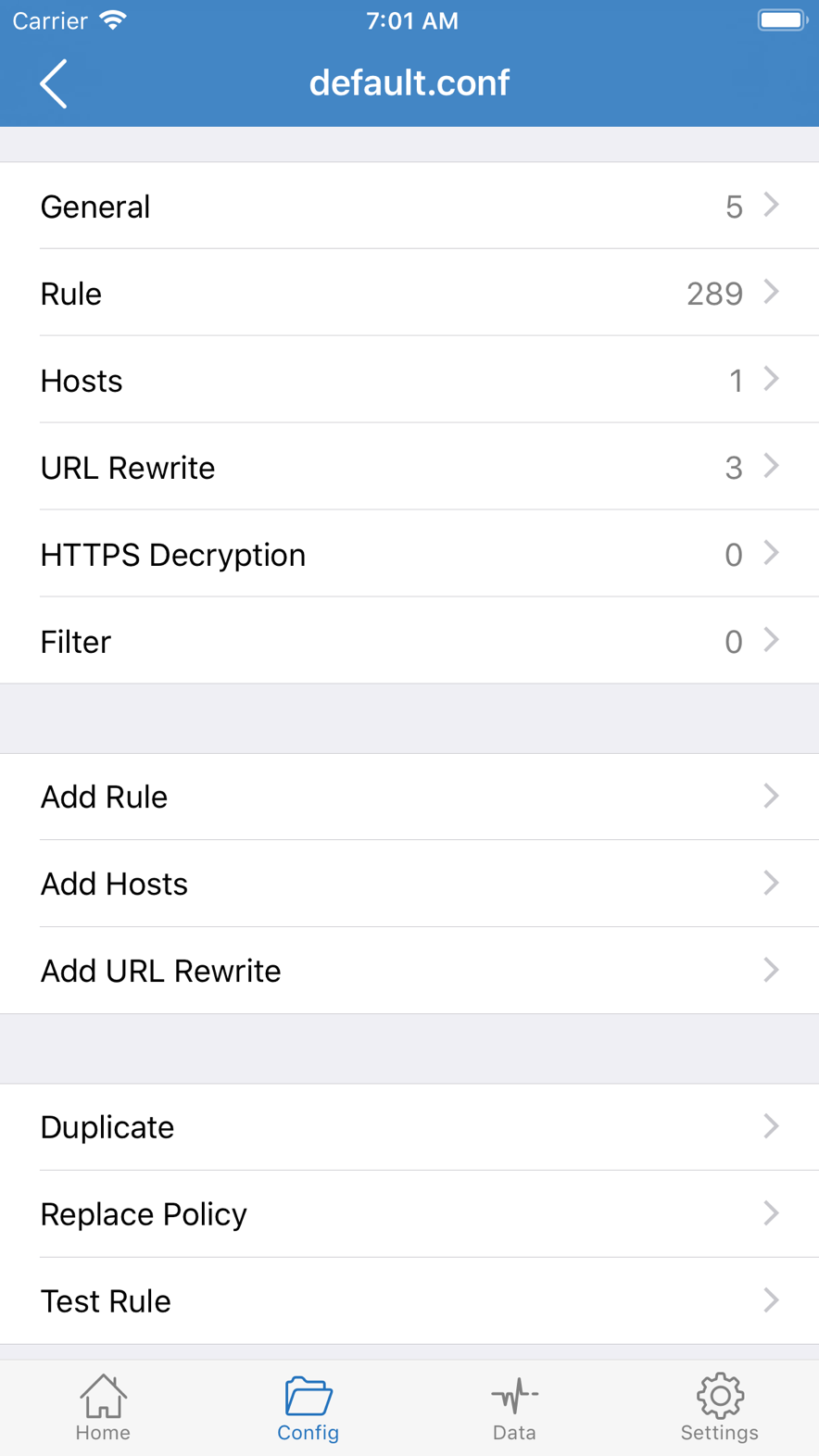
Shadowrocket config file default.conf, showing 289 rules
Rules live in the config file. They are asked only when policy is Config. From the App Store listing; your device build may differ.

Matching is top to bottom. After a hit, later lines are ignored. Exceptions must therefore sit above the general case. FINAL in the middle of the file voids every line below it — they remain in the file and are never asked.

The two lists below have identical lines, only swapped in order, and opposite results.

# A: name the host first, then the suffix
DOMAIN,api.example.com,PROXY
DOMAIN-SUFFIX,example.com,DIRECT
FINAL,PROXY

# B: suffix first; the api line is never reached
DOMAIN-SUFFIX,example.com,DIRECT
DOMAIN,api.example.com,PROXY
FINAL,PROXY

For api.example.com: list A hits the first line and uses the record; list B hits the suffix and goes direct. For www.example.com: both go direct at the suffix. For unrelated.org: both fall through to FINAL and use the record.

KEYWORD is wider than SUFFIX, GEOIP is wider than most domain lines, FINAL is widest. A stable order is: exact host → suffix / keyword → CIDR → GEOIP → FINAL. That is not a syntax rule; it is how exceptions get a chance to be seen.

04

Domain conditions: who hits whom

DOMAIN
The hostname must be an exact match. DOMAIN,example.com,PROXY matches example.com, not www.example.com, and not api.example.com. Use it when you need one precise name; do not pretend it is a suffix.
DOMAIN-SUFFIX
The hostname equals that suffix, or ends in “.suffix.” apple.com matches apple.com and www.apple.com; icloud.com is not in that set. It does not match notapple.com: that name only ends in the characters apple.com, without the extra dot.
DOMAIN-KEYWORD
Hits when the hostname contains that string. KEYWORD,google hits google.com, googlevideo.com, and any host with google in the name. Widest range, easiest to over-match. Prefer a suffix when you can.

A suffix line does not automatically cover names outside that suffix’s subdomains. DOMAIN-SUFFIX,google.com,PROXY does not take gstatic.com, youtube.com, or googleapis.com. Those are different registrable domains; write them separately, or accept that they fall to GEOIP / FINAL later.

Case is treated as insensitive, following domain convention. If an IDN is written in Unicode in the rules and the actual request is punycode (xn--), the two sides do not match and the line does not hit. When isolating, go by the bytes actually written in the rule file.

05

Address, port, geo database

IP-CIDR
By destination IPv4 range. For example 10.0.0.0/8, 172.16.0.0/12, 192.168.0.0/16 are often written DIRECT so LAN traffic stays out of the tunnel. With only this line, an IPv6 destination does not hit, and the request falls further down.
IP-CIDR6
IPv6 ranges. To handle both address families, write both lines, or turn off the family you do not use in settings. Adding only IPv4 private ranges while the device uses IPv6 for the same service looks like a rule that “sometimes works.”
GEOIP
Classifies the destination IP in a geo database. It is not the domain’s registrar country, and not the site’s language. GEOIP,CN,DIRECT means: when this destination is tagged CN in the library, go direct. The library version is on the device; the web tester cannot simulate it. When a CDN points the same hostname at addresses in different countries, GEOIP follows.
DEST-PORT
By destination port. Used to split one class of exit (for example only 443 into the record) from other ports. It cannot see a hostname; written next to a domain line, the first hit still wins.
USER-AGENT
By the UA string the client declares. Only meaningful when the request actually carries that field. Many apps send no HTTP headers, or leave UA empty, and this line does not exist for them.
FINAL
Should sit last. Used when nothing above hit. Do not omit it, and do not rely on a guess that “leaving it out defaults to PROXY.” Whether FINAL is PROXY or DIRECT decides the fate of every unnamed flow, more than another hundred domain lines.

Some IP lines carry a marker such as no-resolve, meaning do not resolve the domain to an address just to match this line. Resolve policy also interacts with DNS settings on the DNS page: if rules can only see a hostname and not an address, every address line misses; if they can only see an address and not a hostname, every domain line misses.

06

The three actions are not degrees of “being connected”

Writing PROXY for a system service that should be direct often slows or breaks push, photo sync, or Store updates, because they were sent into an exit not built for them. Writing DIRECT for a host that should use the record makes Data rise only on Direct, and the page looks like “the proxy is off.” Writing REJECT makes the app report a network error, which is easy to misread as a dead node.

Confirm the line will actually be hit before you change its action. Editing a rule that is never reached changes nothing on screen. Using Data to see which side the count sits on is more effective than flipping the switch.

07

The name rules see is not always the string in the address bar

Domain conditions follow resolve results, HTTP Host, or TLS Server Name Indication. If an app connects by IP, or omits SNI, rules may only see an address, so every domain line misses and the request lands on IP-CIDR, GEOIP, or FINAL.

That is one source of “the same site is sometimes proxied, sometimes direct”: some requests carry a hostname, some only have an IP. The browser address bar shows www.example.com while the socket may first connect to a CDN address; GEOIP sees that CDN’s library, not your impression of the name.

When system DNS and in-app DNS are each set and contradict each other, the hostname rules see and the real destination can disagree. When resolution is not the anomaly, do not change both at once. Details in DNS.

Rewrite runs after the request is already seen; it cannot replace rules in deciding which path to take. Route first, then rewrite. Body-level HTTPS rewrite also needs extra decrypt permission; see System.
08

Walk three requests against the same list

Assume policy is Config, the file is as below, and a working record is highlighted:

DOMAIN-SUFFIX,apple.com,DIRECT
DOMAIN-SUFFIX,icloud.com,DIRECT
DOMAIN-SUFFIX,github.com,PROXY
IP-CIDR,10.0.0.0/8,DIRECT
GEOIP,CN,DIRECT
FINAL,PROXY

www.apple.com

The hostname ends in .apple.com, hits the first line, DIRECT. github is not asked, GEOIP is not asked. Data should rise on Direct. This has nothing to do with where Apple’s servers sit; it only has to do with what this line was written as.

github.com

The first two lines miss, the third hits, PROXY. GEOIP sits later, so even if this address is tagged as some country in the library, it is not asked again. Data should rise on Proxy. If Proxy does not move here and the page fails, check the record before you add another github rule.

Only destination address 10.1.2.3 is known, no hostname

Every domain line misses, IP-CIDR hits, DIRECT. If the same service is sometimes reached by name and sometimes by address, you will see two completely different actions. That is not a random engine; the two requests handed it different information.

An unnamed host whose destination IP is tagged CN in the library

No domain line hits, no CIDR hits, GEOIP,CN hits, DIRECT. If the library tags this address as another country, it falls to FINAL, PROXY. A different resolve or a different CDN node can make the same name jump between those two lines.

09

Several configurations, imported lists

The app lets you save several configurations; while connected, only the selected one runs. Switching from one to another replaces the whole list; it is not “two FINALs stacked.” Before you import someone else’s list, find its FINAL and GEOIP: those two lines decide the fate of most unnamed traffic.

If the node sits on the same side of the network as most sites you already reach, and you only want a few hosts through it, FINAL PROXY sends a mass of unrelated requests into the node. If the node is elsewhere and you want unnamed traffic through it, FINAL DIRECT keeps most sites off the node. Authors of imported lists write for their own exit, not for yours.

Lists expire. Refreshing a subscribed rule file and refreshing a server container are the same kind of action on different objects: what you save is a URL; a successful fetch replaces the local file; on failure the last successful file is kept, and rules are not wiped because a fetch failed. The refresh follows the network path of that moment; if the switch is sitting on a dead record, the rule subscription itself can fail to refresh. See Objects and Config.

Change one condition at a time. After the edit, isolate with one fixed record and policy only; see Data. Changing the record, the file, and FINAL at once makes on-screen changes impossible to attribute.