Tunnel
The switch owns the system interface, not a particular record.
The switch at the top of the home screen starts iOS Network Extension: the device’s outbound traffic is sent into Shadowrocket’s virtual interface. Records, rules, and Data all happen after that interface. Platform limits are in System.
01
The first time you flip the switch
iOS asks to add a VPN configuration. After you allow it, Shadowrocket appears in Settings under VPN. That is the system authorizing a personal VPN, not a login to a node provider, and not an app account — there is no account system.
If you deny it, the virtual interface is never created and the switch has nothing to attach to. Later, deleting that configuration in Settings, or blocking VPN via Screen Time / MDM, makes the switch fail again until you re-authorize. Reinstalling the app sometimes drops this system configuration. It looks like “it suddenly cannot connect”; the permission is gone, the record did not expire.
What you authorized is the on-device extension. Where traffic goes after that still depends on the record you selected and the current policy. The Store license only covers this layer: the app may request a system VPN. It does not include any exit.
02
Connected only means the tunnel is up
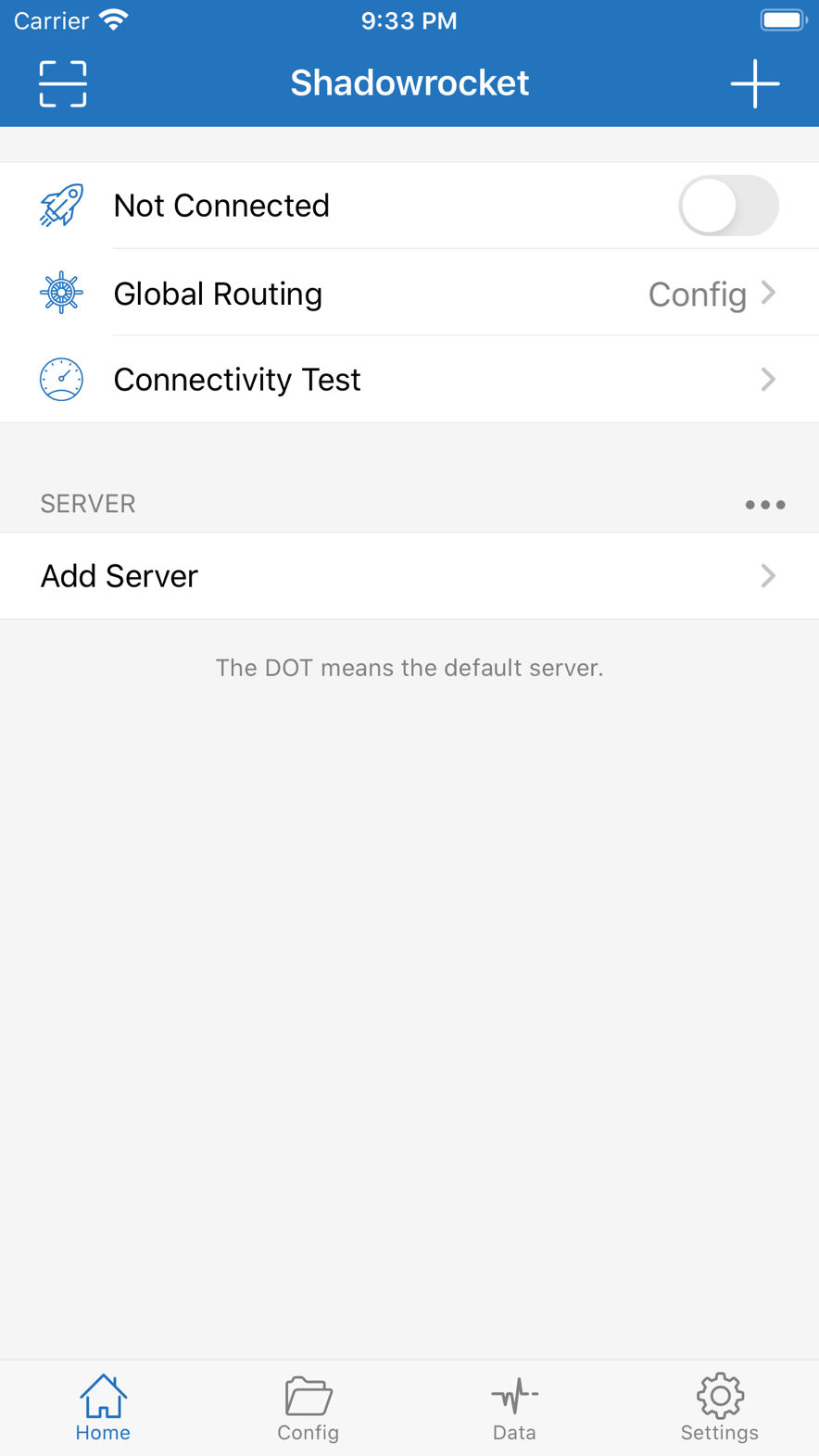
A VPN icon in the status bar and the switch sitting on mean the extension is running. A connection can still be judged DIRECT and leave on cellular or Wi-Fi, never touching the record you highlighted.
So “already connected” is not “every request went through the node.” To see whether bytes entered the record, use Data’s two counters; to see whether rules left a host on direct, use Rules.
If the switch flickers and snaps back, the extension did not stay up. Common causes: the current record failed handshake (type, transport, certificate, or UUID does not match the remote), or there is no usable VPN configuration on the system. Before you swap records, confirm the policy is not Direct — under Direct the tunnel can stay on without ever handshaking the remote. Snap-back and “the node is dead” are two different failures.
Turning the switch on with no highlighted row is version-dependent. Do not rely on “it will connect without a selection.” The list needs a record that can be used as an exit; see Objects.
03
Config · Proxy · Direct
These three cover the whole current configuration and take priority over editing a single rule. They answer: after traffic is in the tunnel, should rules be asked.
-
Config
Every connection is handed to the current rule file. Domain, IP, and GEOIP are evaluated here. Everyday routing depends on this one. How to write rules is on the Rules page.
-
Proxy
Rules do not run. Outbound always goes to the currently highlighted record. Use it to separate “the rule is wrong” from “this record cannot handshake or forward.” If Proxy works and Config does not, look at rules; if neither works, look at the record or the far end.
-
Direct
Rules do not run. Outbound always takes the system path. The VPN icon can stay on. Use it to separate “after forwarding is removed, does this device have a network at all.” Captive Portal, online banking, and LAN often need Direct first.
Policy and record are chosen separately. Changing a record does not change Config / Proxy / Direct; changing policy does not change the highlighted row. Both can be wrong while the screen still says connected.
Isolation must follow Direct → Proxy → Config, changing only policy each time; see Data. Editing FINAL under Config while also swapping records is not an isolation.
04
After a connection enters the tunnel
After the extension takes outbound, processing is roughly this order. Details follow the current version:
- If policy is Direct: send it back on the system path, skip rules, do not handshake the current record.
- If policy is Proxy: skip rules, send to the currently highlighted record. If that handshake fails, this step stops.
- If policy is Config: match the current configuration’s list top to bottom and get DIRECT / PROXY / REJECT.
- DIRECT connections return to the system path; REJECT is dropped; PROXY connections go to the current record.
- If rewrite is on, URL or headers are changed after the request is already seen; see Rewrite. It does not go back and change the routing decision.
UDP and TCP both enter the tunnel, but not every record type forwards UDP equally. If an app fails only on UDP (games, some calls), check whether the record claims support, then whether a port rule REJECT-ed it.
When DNS runs relative to matching decides whether rules see a name or an address; see DNS.
05
The system keeps only one personal VPN at a time
When another VPN app is connected, iOS usually will not hand traffic to Shadowrocket. This app’s switch can still be on while bytes never enter this extension. When isolating a failure, look first at which VPN is active in system Settings.
Airplane Mode, Wi-Fi / cellular handoff, Low Power Mode, and the system reclaiming background all tear the tunnel down. That is framework behavior, not a record that suddenly “expired.” On a captive network, let the device finish the login page first, then flip the switch. These limits are unpacked in System.